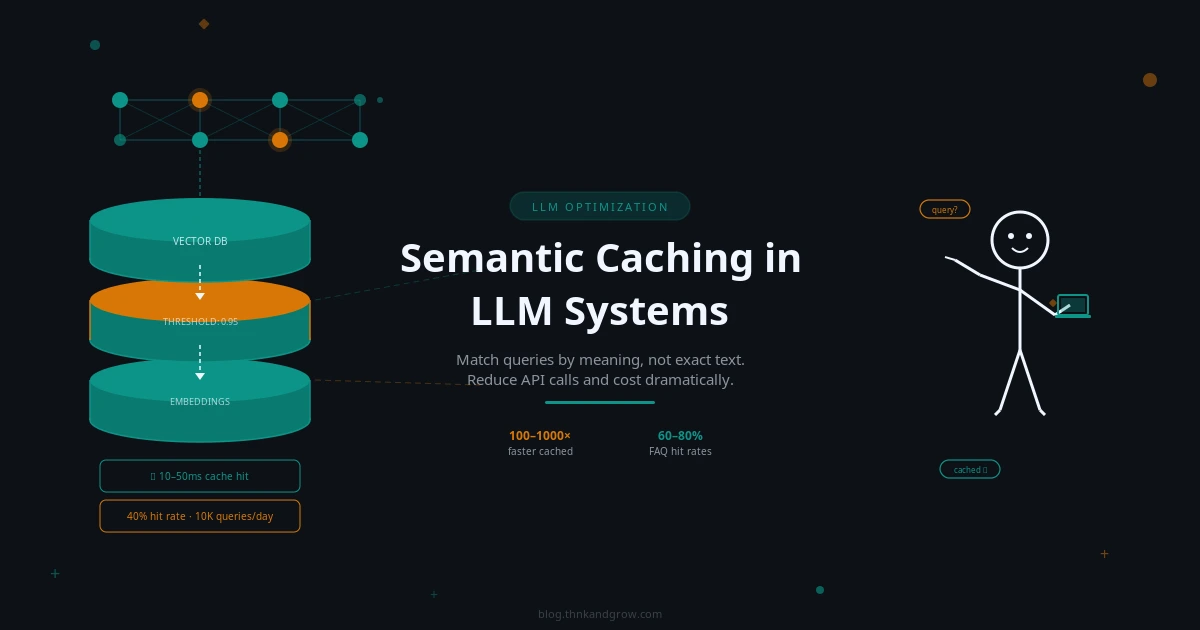
Semantic Caching in LLM Systems: A Beginner’s Guide
Every developer building with LLMs eventually hits the same wall. You launch your AI-powered application, users start asking questions, and your API bill begins climbing in ways you didn’t anticipate. The uncomfortable truth is that a significant portion of those API calls are answering questions you’ve already answered before — sometimes dozens, sometimes hundreds of times. A customer support bot gets asked “How do I reset my password?” in roughly fifty different ways every single day. Without a smart caching strategy, you’re paying full price for every single one of those calls.
Traditional caching can’t solve this problem. If your cache stores the response to “What is the capital of France?”, it won’t recognize that “What’s France’s capital?” is asking the exact same thing. Any variation in wording — even a single word — results in a cache miss and another expensive API call. This is where semantic caching changes everything. Instead of matching queries by their literal text, semantic caching matches them by their meaning. It’s one of the highest-ROI optimizations available to any developer building LLM-powered applications, and in 2026, it’s rapidly becoming a standard part of the production AI stack.
This guide will walk you through everything you need to know — from the core concepts to practical implementation — without requiring a deep machine learning background.
What Is Semantic Caching? (And How It Differs from Traditional Caching)
In plain terms, semantic caching is a system that stores LLM responses and retrieves them whenever a new query arrives that means the same thing as a previously answered one — even if the wording is completely different. The word “semantic” refers to meaning, and that’s the key distinction.
Consider these two queries:
- “What is the capital of France?”
- “What’s France’s capital city?”
A traditional exact-match cache treats these as two entirely different requests. It performs a hash lookup on the query string, finds no match for the second phrasing, and fires off a new LLM API call. A semantic cache understands that both questions carry the same intent and returns the stored answer immediately.
Here’s how the two approaches compare:
| Feature | Traditional Caching | Semantic Caching |
|---|---|---|
| Match type | Exact string match | Meaning/intent match |
| Flexibility | Low | High |
| Storage mechanism | Key-value (string → response) | Vector + key-value |
| Lookup speed | O(1) hash lookup | Vector similarity search |
| Miss rate | High (any variation = miss) | Lower (similar queries = hit) |
| Infrastructure | Redis, Memcached | Vector DB + cache store |
The tradeoff is real: semantic caching requires more infrastructure and introduces a small lookup overhead. But for most LLM applications with any meaningful query volume, the benefits far outweigh the costs.
How Semantic Caching Works Under the Hood
The mechanics of semantic caching follow a clear, repeatable flow. Understanding each step will help you configure and debug your implementation effectively.
The Step-by-Step Process
- Query arrives — A user submits a question to your application.
- Embedding generation — The query is converted into a vector embedding using an embedding model.
- Similarity search — The embedding is compared against all stored embeddings in your vector database.
- Cache hit or miss decision — If the closest stored embedding exceeds your similarity threshold, it’s a cache hit. The stored response is returned immediately.
- LLM call (on miss) — If no sufficiently similar query exists, the system calls the LLM API as normal.
- Store and return — The new query embedding and LLM response are stored in the cache, then the response is returned to the user.
What Are Vector Embeddings?
Think of a vector embedding as a way of converting text into a list of numbers — typically hundreds or thousands of numbers — that captures the meaning of that text. Sentences with similar meanings end up with similar numerical representations, even if they use completely different words. This is what makes semantic matching possible.
For example, the phrases “cancel my subscription” and “I want to stop my plan” would produce embeddings that are numerically close to each other, while “what’s the weather today?” would produce a very different set of numbers.
Cosine Similarity and Thresholds
The most common way to measure how similar two embeddings are is cosine similarity — a value between 0 and 1, where 1 means identical meaning and 0 means completely unrelated. When a new query arrives, the system calculates its cosine similarity against stored embeddings and checks whether the best match exceeds your configured threshold.
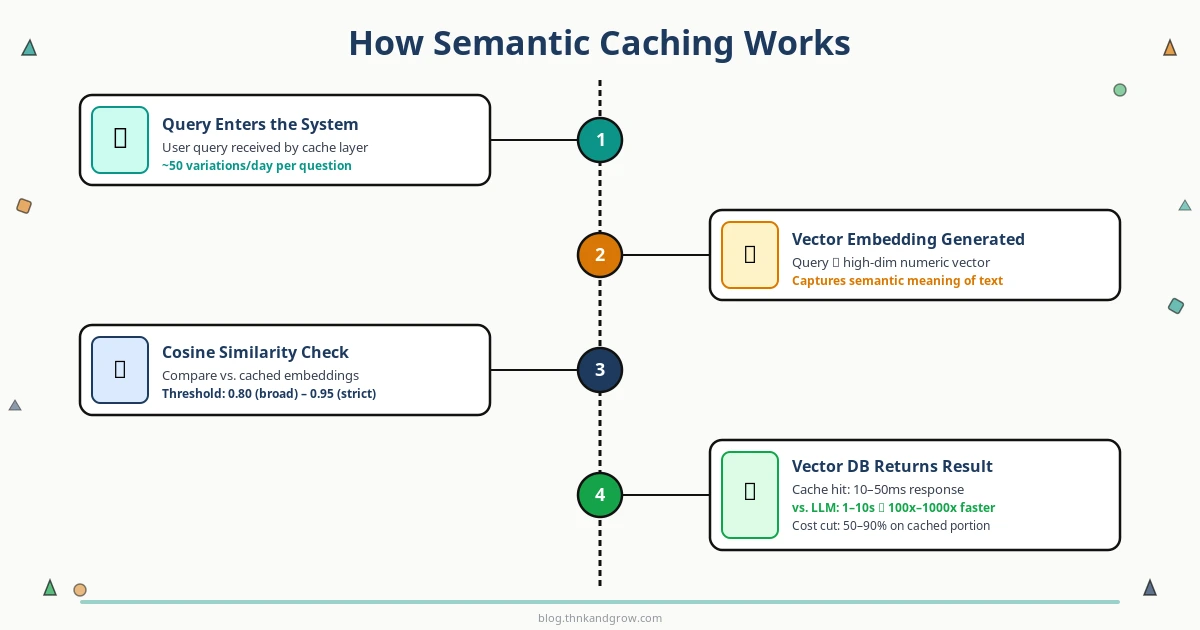
A threshold of 0.95 is strict — only very close paraphrases will match. A threshold of 0.80 is more permissive — broader variations in phrasing will still hit the cache. Choosing the right threshold is the most important tuning decision you’ll make, and we’ll cover it in the best practices section.
Why Semantic Caching Matters: Cost, Speed, and Scale
Cost Reduction
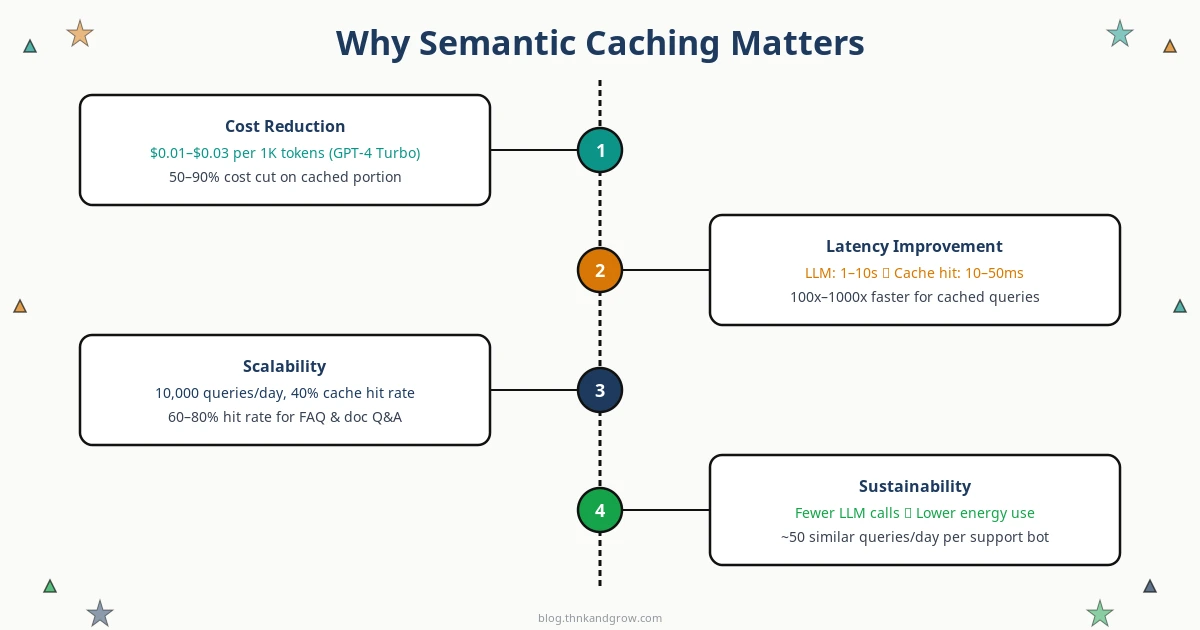
LLM API pricing adds up fast. GPT-4 Turbo runs approximately $0.01–$0.03 per 1,000 tokens, and a single detailed response can easily consume 500–1,500 tokens. In a customer support application handling 10,000 queries per day, even a 40% cache hit rate translates to thousands of dollars saved every month. For FAQ bots and document Q&A systems where query patterns are highly repetitive, hit rates of 60–80% are achievable.
Latency Improvement
LLM inference is slow by nature — typical response times range from 1 to 10+ seconds depending on the model and output length. A semantic cache hit, by contrast, returns in 10–50 milliseconds. That’s a 100x to 1000x latency improvement for cached queries. For user-facing applications, this difference is the gap between a frustrating experience and a delightful one.
Scalability and Sustainability
As your user base grows, LLM API costs typically scale linearly — more users means more calls means more spending. Semantic caching breaks that linear relationship. A well-tuned cache means your API call volume grows much more slowly than your user volume, making your cost curve sustainable. There’s also an environmental angle worth noting: fewer LLM inference calls mean lower GPU energy consumption, which matters as AI infrastructure scales globally.
Semantic Caching vs. Prompt Caching: Don’t Confuse the Two
These two terms are increasingly used in the same conversations, but they refer to fundamentally different mechanisms operating at different layers of the stack.
Semantic caching is application-level. It happens in your code, before any API call is made. It intercepts incoming queries, checks your vector database for similar past queries, and either returns a cached response or proceeds to call the LLM.
Prompt caching is API-level. It’s a feature offered by providers like Anthropic (since August 2024) and OpenAI. These systems cache the internal KV (key-value) attention states of repeated prompt prefixes at the inference layer. If you send the same long system prompt with every request, the provider can skip reprocessing that prefix, reducing your cost by 50–90% on the cached portion. Critically, this requires exact prefix matches — it doesn’t understand semantic similarity.
The good news: these strategies are complementary. You can use semantic caching at the application layer to avoid API calls entirely for similar queries, while simultaneously using prompt caching at the API layer to reduce costs on the calls that do go through. Together, they form a powerful two-layer cost optimization strategy.
Key Tools and Frameworks for Semantic Caching
GPTCache by Zilliz
The most comprehensive open-source library dedicated to LLM caching. GPTCache supports multiple embedding models, multiple vector store backends (FAISS, Milvus, Redis, Qdrant, Weaviate), and pluggable eviction policies. It integrates cleanly with LangChain, LlamaIndex, and the OpenAI SDK, making it the go-to choice for developers who want full control.
LangChain Caching Abstractions
LangChain provides a SemanticSimilarityExactMatchCache that wraps any LangChain-compatible vector store. If you’re already building with LangChain, adding semantic caching is a matter of a few lines of configuration. Swapping backends — from Chroma to Pinecone, for example — requires minimal code changes.
LlamaIndex and RedisVL
LlamaIndex includes native SemanticCache components that integrate with its broader indexing infrastructure. For teams already running Redis in production, the Redis Vector Library (RedisVL) offers a production-ready SemanticCache class that combines Redis’s legendary in-memory speed with vector similarity search.
Managed Options
If you’d rather not manage vector database infrastructure yourself, several managed options have matured significantly. Upstash Semantic Cache offers a serverless, pay-per-use API. Portkey and LiteLLM function as LLM gateways with built-in semantic caching middleware. Helicone combines observability with caching, giving you analytics on cache hit rates alongside your other LLM metrics.
Embedding Models to Consider
- OpenAI text-embedding-3-small — Strong accuracy, easy to use if you’re already in the OpenAI ecosystem
- Sentence Transformers (all-MiniLM-L6-v2) — Open-source, fast, excellent accuracy-to-speed tradeoff, runs locally
- Cohere Embed — Strong multilingual support, good for international applications
Choosing the Right Vector Database Backend
Your choice of vector database has real implications for performance, cost, and operational complexity. Here’s a practical decision framework:
- Chroma — Lightweight, developer-friendly, runs locally with no server setup. Ideal for prototyping and development.
- FAISS — Facebook’s in-memory similarity search library. No server required, blazing fast for smaller datasets. Great for early-stage applications.
- Pinecone — Fully managed, production-ready, scales effortlessly. The right choice when you want to focus on your application rather than infrastructure.
- Qdrant — High-performance, Rust-based, open-source. Excellent for teams that want self-hosted production deployments with strong performance characteristics.
- Redis Stack — The natural choice if Redis is already in your stack. Adds vector search capabilities to your existing Redis infrastructure with minimal operational overhead.
The recommended path for most beginners: start with Chroma or FAISS for prototyping, validate that semantic caching delivers value in your specific use case, then migrate to Pinecone or Qdrant when you’re ready for production scale.
Best Practices and Common Pitfalls
Tuning the Similarity Threshold
This is the single most important configuration decision you’ll make. Set it too low and you’ll return cached responses for queries that are actually asking different things — serving wrong answers is far worse than serving slow ones. Set it too high and you’ll miss too many cache opportunities, negating the benefit. Start at 0.90 and adjust based on your observed hit rate and any accuracy issues. Monitor both metrics continuously.
Where Semantic Caching Excels
Semantic caching delivers the most value in high-repetition query environments: FAQ bots, customer support assistants, document Q&A systems, internal knowledge bases, and search tools. These applications naturally see the same questions asked repeatedly in slightly different ways — exactly the pattern semantic caching is designed to exploit.
Where It’s Less Effective
Highly personalized queries (where the answer depends on user-specific context), real-time data requests (“what’s the stock price right now?”), and complex multi-turn conversations with heavy context dependency are poor candidates for semantic caching. Forcing caching onto these patterns will produce incorrect results.
Cache Invalidation Strategies
Cached responses go stale. Use TTL (time-to-live) settings to automatically expire entries after a defined period. For content that changes on a known schedule, implement version-based invalidation — tag cache entries with a content version and invalidate when that version changes. For critical updates, support manual invalidation to immediately clear specific entries.
Security: Cache Poisoning
A malicious user could craft queries designed to populate your cache with incorrect or harmful responses that then get served to other users. Mitigate this by validating and sanitizing inputs before caching, implementing rate limiting on cache writes, and considering whether user-generated content should be cached at all without review.
Getting Started: A Simple Implementation Walkthrough
Here’s a minimal working example using LangChain’s semantic cache with Chroma as the vector store — one of the fastest paths to a working prototype:
# Install dependencies
# pip install langchain langchain-openai langchain-community chromadb

from langchain.globals import set_llm_cache
from langchain_community.cache import InMemorySemanticCache
from langchain_openai import OpenAIEmbeddings, ChatOpenAI

# Initialize embedding model
embeddings = OpenAIEmbeddings(model="text-embedding-3-small")

# Configure semantic cache
set_llm_cache(InMemorySemanticCache(
    embedding=embeddings,
    score_threshold=0.90  # Tune this based on your use case
))

# Your LLM calls now automatically use the semantic cache
llm = ChatOpenAI(model="gpt-4-turbo")

# First call — hits the LLM
response1 = llm.invoke("What is the capital of France?")

# Second call — hits the cache (semantically similar)
response2 = llm.invoke("What's France's capital city?")
Once you have this running, instrument the following metrics to measure your results:
- Cache hit rate — What percentage of queries are being served from cache? Aim for 30%+ in repetitive query environments.
- Latency reduction — Compare average response times for cache hits vs. misses.
- Estimated cost savings — Track the number of API calls avoided and multiply by your per-call cost.

Post Comment
You must be logged in to post a comment.