Stop Using != deleted_at: Database Soft Delete Performance Guide

In the world of massive applications, "deleting" data is rarely simple. We almost never actually delete rows (DELETE FROM table). Instead, we use "Soft Deletes"—marking a row as deleted so it can be restored or audited later.
The two most common ways to do this are:
- The Boolean:
is_deleted = true - The Timestamp:
deleted_at = '2024-01-01 12:00:00'
Developers often prefer the Timestamp approach because it gives you when it happened. But there is a massive hidden cost that bites you when your table hits 100 million or 1 billion rows.
And it usually starts with a query like this:
SELECT * FROM users WHERE deleted_at != NULL;
Here is why that query—and the deleted_at column itself—might be killing your database performance, and how to fix it properly.
The Logic Trap: Inequality (!=) vs Indexes
The first performance killer is how you query it. It is very common to see ORMs or developers query for "deleted items" using inequality operators:
-- "Show me all deleted users"
SELECT * FROM users WHERE deleted_at != NULL;
-- OR
SELECT * FROM users WHERE deleted_at IS NOT NULL;
Why this hurts
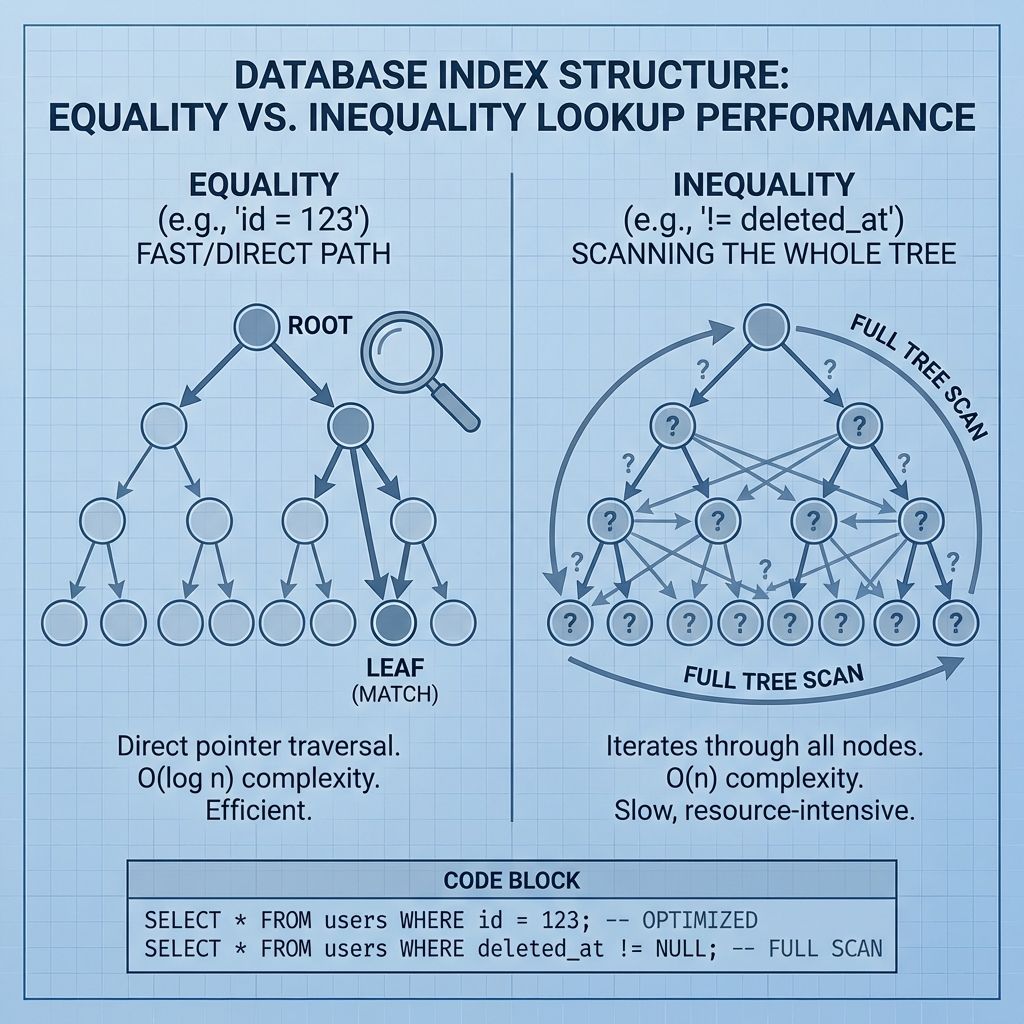
Database B-Tree indexes are optimized for equality (=) and sorted ranges (>, <). They are essentially sorted lists.
When you ask for deleted_at IS NOT NULL, you are essentially asking the database to "give me everything that has a value." If your table has 1 billion rows, and 10% are deleted (100 million rows), the database has to scan a massive portion of the index.
Worse, standard B-Tree indexes in some databases (like older Oracle versions, though less true for modern Postgres/MySQL) handled NULLs poorly. But even with modern handling, Inequality is expensive.
The Cardinality Problem
Performance isn't just about the operator; it's about Cardinality (how unique the data is).
The Scenario
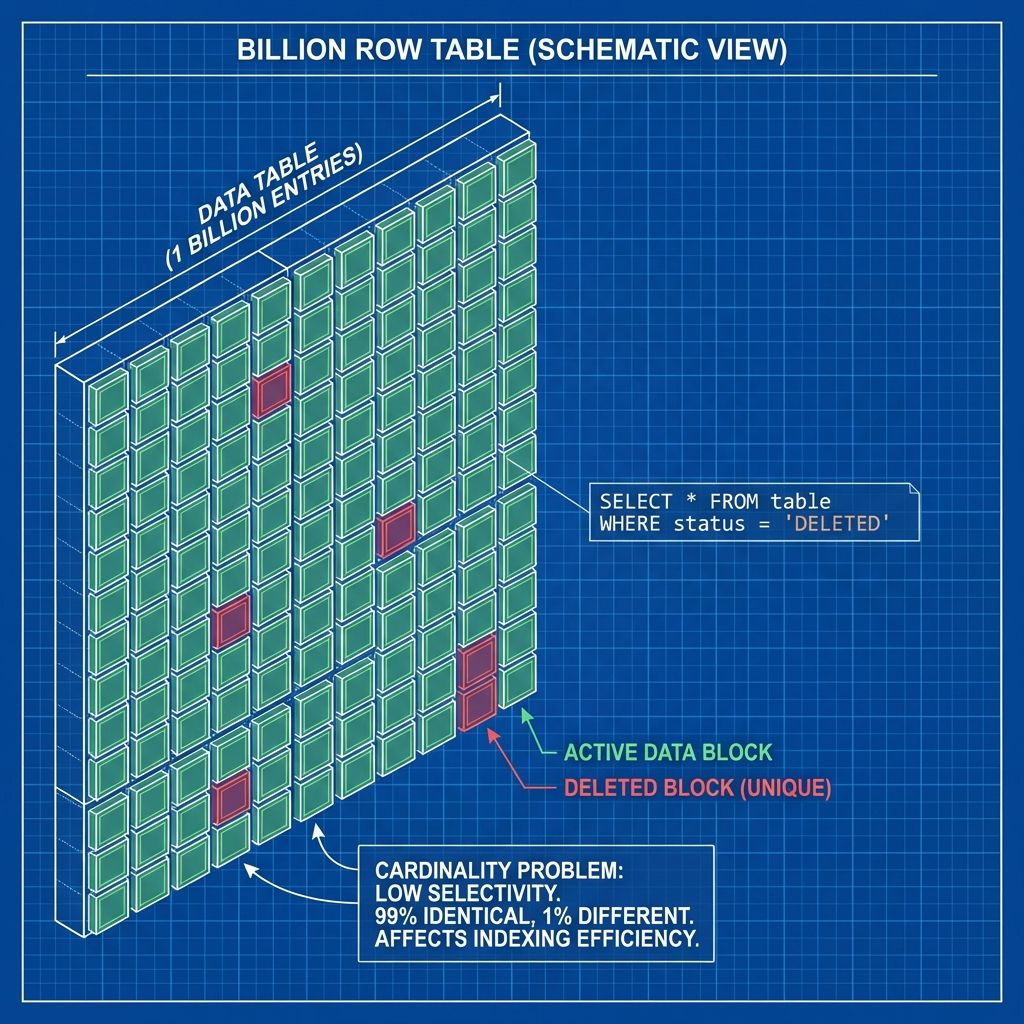
Imagine a files table with 1 Billion rows.
- 99% are Active (
deleted_atis NULL). - 1% are Deleted (
deleted_athas a timestamp).
If you index deleted_at:
CREATE INDEX idx_deleted_at ON files(deleted_at);
You are creating a massive index containing 1 Billion entries.
- 990 Million entries look identical (
NULL), or are stored as a massive group. - 10 Million entries have timestamps.
Querying for Active Rows
When you run SELECT * FROM files WHERE deleted_at IS NULL:
The database looks at the index. It sees that 99% of the index references the rows you want.
It will likely ignore the index entirely.
Why? Because reading the index and then fetching 99% of the table rows is slower than just doing a Full Table Scan and ignoring the index from the start.
Result: You paid the storage cost for a 1-Billion-row index, and your database doesn't even use it for your most common query.
The Solution: Indexing What Matters
We want two things:
- Fast lookups for active records (99% of queries).
- Small index size (RAM is expensive).
1. The Low-Tech Win: is_deleted (Boolean)
Using is_deleted (boolean/tinyint) is slightly better because the data type is tiny (1 byte vs 8 bytes for timestamp).
However, it suffers the same Cardinality problem. An index on is_deleted where 99% of values are FALSE is useless for finding active records.
2. The High-Tech Win: Partial Indexes (PostgreSQL)
This is the "Silver Bullet" for PostgreSQL users. PostgreSQL allows you to create Partial Indexes—indexes that only contain rows that match a WHERE clause.
-- Only index the rows that are NOT deleted
CREATE INDEX idx_files_active
ON files (user_id, created_at)
WHERE deleted_at IS NULL;
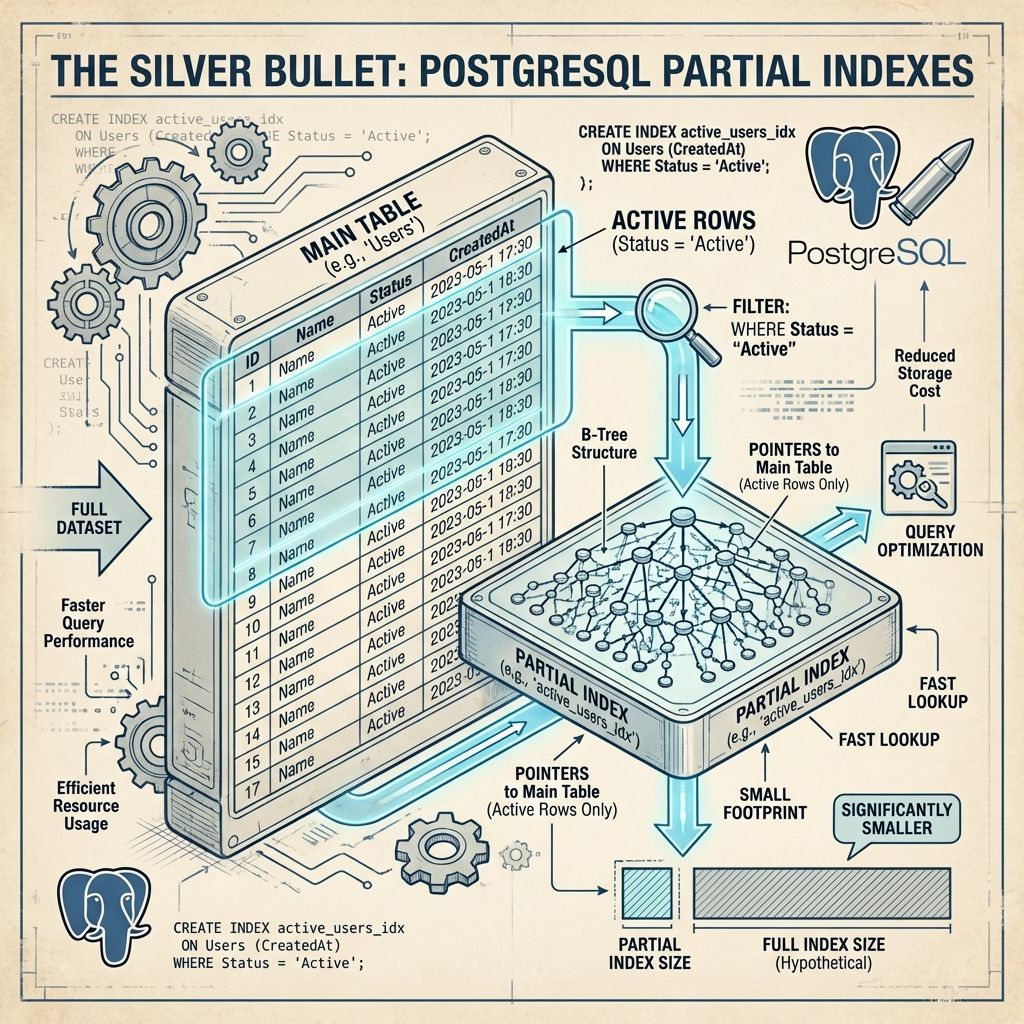
Why this is genius:
- Size: If 99% of your data is active, the index is still large. BUT, if you flip it—say you archive data often and only 20% is active—your index is tiny.
- Uniqueness: You can enforce uniqueness only on active items.
-- Allow soft-deleted duplicates, but unique active emails CREATE UNIQUE INDEX idx_unique_email ON users(email) WHERE deleted_at IS NULL; - Speed: The index for filtered queries is smaller, fits in RAM, and is faster to scan.
Wait, what if I have 99% active data?
If 99% of data is active, a partial index WHERE deleted_at IS NULL is still huge (99% size).
In this specific case (Billions of active rows), you generally do not index the soft-delete column alone. You include it in Composite Indexes.
-- MySQL / Postgres
CREATE INDEX idx_user_active_files
ON files (user_id, deleted_at);
When you query WHERE user_id = 123 AND deleted_at IS NULL, the database jumps to user 123 and indexes allow instant filtering of the NULLs.
What about MySQL?
MySQL (before 8.0) did not support true Partial Indexes. MySQL 8.0+ supports "Invisible Columns" or "Functional Key Parts" which can simulate this, but it's trickier.
Best Practice for MySQL:
Use a composite index. Put deleted_at (or is_deleted) last in your index if you query for exact matches on other columns.
-- Good
CREATE INDEX idx_user_status ON users (company_id, is_deleted);
Summary Recommendation
- Don't use
!=or<>if you can help it. Use positive assertions (IS NULLor= 0). - Stop indexing
deleted_atby itself if >10% of your data is active. It's a wasted index usually. - Use PostgreSQL Partial Indexes (
WHERE deleted_at IS NULL) if you need to enforce unique constraints on active data. - Use Composite Indexes (
user_id, deleted_at) for standard filtering.
If you are hitting 1 Billion rows, every byte in your index counts. Don't index the garbage you threw in the trash.