GSAP AI Skills: Teach Your AI Agent to Animate
If you have spent any time asking an AI coding assistant to help you write GSAP animations, you have almost certainly received code that looks plausible until it breaks. Maybe the ScrollTrigger ends up attached to a child tween inside a timeline, which is a pattern that causes subtle, hard-to-diagnose sequencing bugs. Maybe the AI confidently tells you to install gsap-bonus from a private registry and set up your Club GSAP token — advice that became irrelevant the moment Webflow acquired GreenSock and made all the premium plugins free. Maybe the cleanup logic is just missing entirely, leaving memory leaks in your React component that only show up in production.
This is not a hypothetical. AI coding assistants are trained on the entire public internet, which means they have absorbed years of GSAP tutorials, Stack Overflow answers, and blog posts — including a large volume of outdated, incorrect, or subtly wrong examples. The models have no reliable way to distinguish a 2019 tutorial about Club GSAP membership from the current documentation. They produce confidently wrong code, and you spend an hour debugging something that should have worked from the first prompt.
The GSAP AI Skills repository is GreenSock’s direct answer to this problem. Rather than hoping AI models eventually catch up to the current state of the library, the GreenSock team packaged authoritative, structured knowledge about GSAP into a format that over 40 AI coding agents can consume, understand, and apply. The result is a concrete upgrade to what your AI assistant actually knows about animation.
What Is the GSAP AI Skills Repository?
The repository follows the Agent Skills specification, an open standard for packaging domain expertise into structured knowledge files that AI coding agents can load into their context. Think of it as the difference between asking a generalist a specialized question versus handing them a detailed technical reference written by the domain experts themselves.
The GSAP skills are officially maintained by the GreenSock team, which matters a great deal. This is not a community approximation or a third-party summary — it is the same organization that builds and maintains the library telling AI tools exactly what correct usage looks like. The repository is MIT licensed and openly maintained, so the community can contribute and the skills can evolve alongside the library.
Installation is a single command:
npx skills add https://github.com/greensock/gsap-skillsThe installer auto-detects which AI agent you are using and configures the skill files in the appropriate location — workspace-level for project-specific setups, global for system-wide availability. Plugin configs are included for Claude Code (placed in .claude-plugin/), Cursor (placed in .cursor-plugin/), and GitHub Copilot (via .github/copilot-instructions.md with path-specific instruction files). The supported agent list covers the major tools most frontend developers are already using: Claude Code, Cursor, GitHub Copilot, Windsurf, OpenAI Codex, and Google Antigravity, among others.
Eight Specialized Skills, Not One Monolith
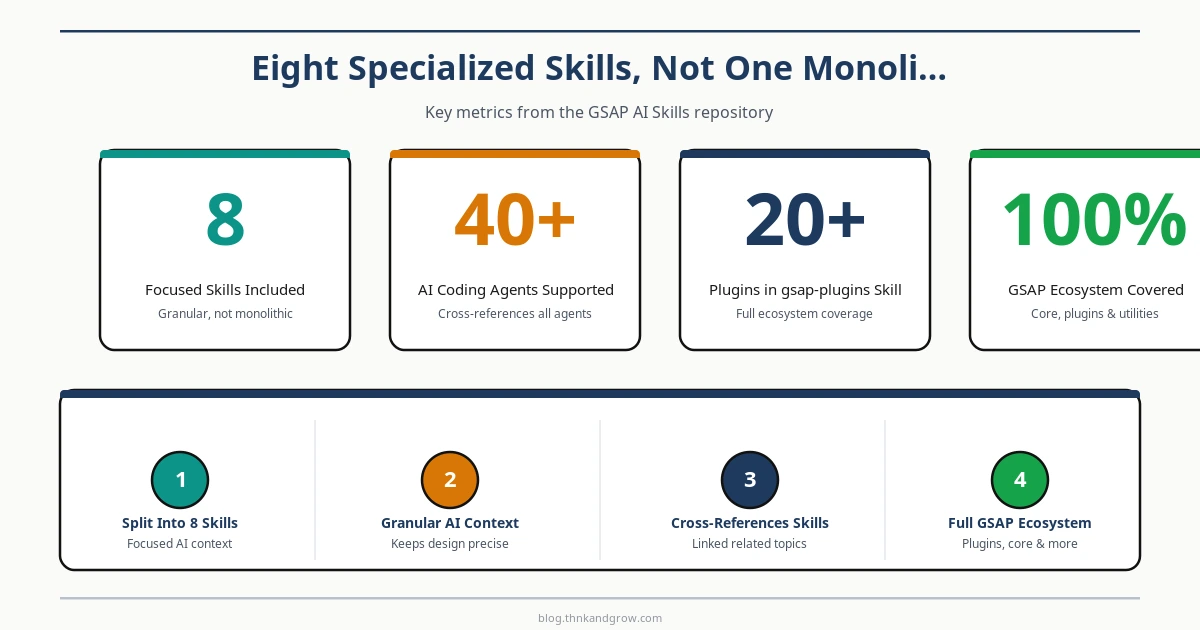
A single massive knowledge file would be a poor design decision. AI agents have finite context windows, and loading everything about GSAP into every animation-related request would be wasteful and potentially counterproductive. The GSAP AI Skills repository takes a smarter approach: eight focused skills, each covering a distinct part of the ecosystem.
- gsap-core — the fundamental animation API, tweens, easing, and basic syntax
- gsap-timeline — sequencing, labels, callbacks, and timeline control methods
- gsap-scrolltrigger — scroll-based animations, pinning, scrubbing, and trigger configuration
- gsap-plugins — the full plugin ecosystem including Flip, Draggable, SplitText, MorphSVG, and twenty others
- gsap-utils — utility functions like
gsap.utils.mapRange(),gsap.utils.clamp(), and selector utilities - gsap-react — React-specific patterns, the
useGSAPhook, and context cleanup - gsap-frameworks — Vue 3, Nuxt 4, and Svelte integration patterns
- gsap-performance — optimization techniques, will-change, GPU compositing, and avoiding layout thrash
When you ask your AI agent to build a scroll-triggered parallax section, it loads gsap-scrolltrigger rather than the entire knowledge base. When you ask about animating text characters individually, it pulls in gsap-plugins for SplitText specifics. Each skill also cross-references related skills, so an agent working on a complex ScrollTrigger animation can follow a reference into gsap-timeline if the task requires sequenced scroll-driven motion.
This granularity is genuinely useful in practice. Context window efficiency is not just a performance concern — overloading an agent’s context with irrelevant information can actually degrade the quality of its output. Keeping each skill focused means the agent is working with high signal-to-noise ratio knowledge.
Framework-Specific Guidance for React, Vue, Svelte, and Nuxt
Framework integration is where AI-generated GSAP code most commonly falls apart. The patterns that work in vanilla JavaScript do not always translate cleanly into component-based frameworks, and the wrong approach creates memory leaks, stale closures, and animations that fire on the wrong elements.
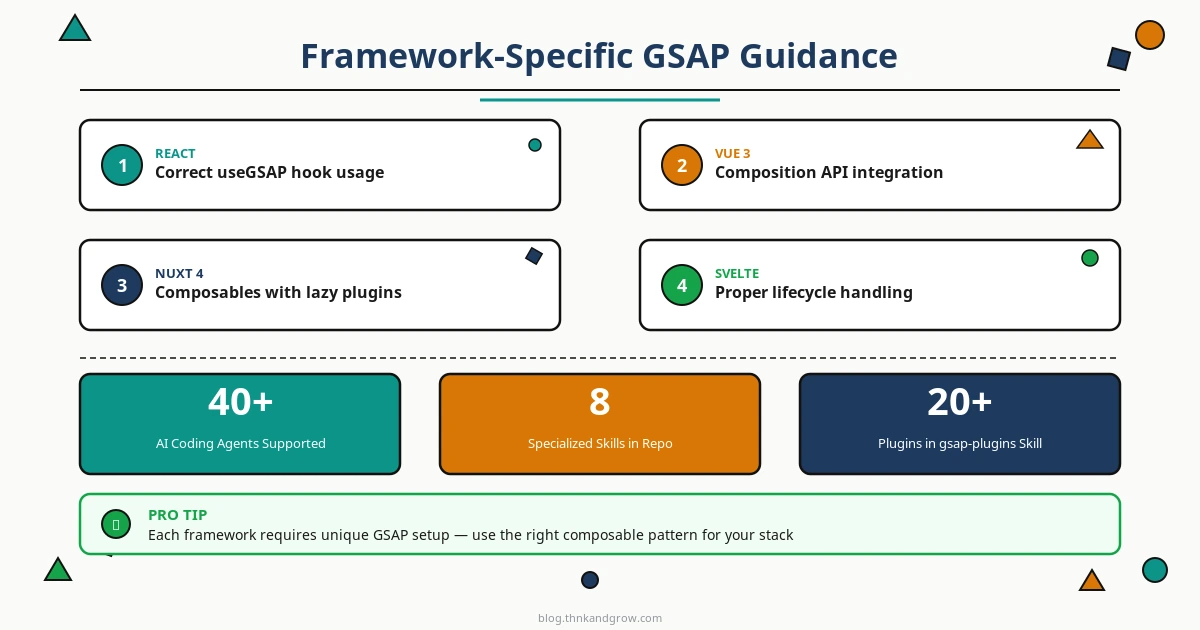
The gsap-react skill addresses this comprehensively. The correct pattern for React in 2026 is the useGSAP hook, which handles cleanup automatically when the component unmounts:
import { useGSAP } from "@gsap/react";
import { useRef } from "react";
import gsap from "gsap";

function AnimatedBox() {
  const container = useRef(null);

  useGSAP(() => {
    gsap.to(".box", { x: 200, duration: 1 });
  }, { scope: container });

  return (
    <div ref={container}>
      <div className="box" />
    </div>
  );
}
Without the scope option, the selector string ".box" queries the entire document, which breaks the moment you have more than one instance of the component on the page. AI models without the skill context regularly generate exactly this mistake — scoped selectors are an easy thing to get wrong if you do not know to look for it.
For Vue 3, the framework skill covers Composition API integration with proper onMounted and onUnmounted lifecycle hooks. For Nuxt 4, it addresses the more complex problem of SSR-safe animations, using composables with lazy plugin loading to prevent the animation code from running during server-side rendering where window and DOM APIs are unavailable. Svelte gets its own lifecycle handling patterns to prevent the stale reference problems that are particularly common in that framework’s reactive model.
The repository also includes working example projects in an examples/ directory — runnable Vite projects for vanilla JavaScript, React, and Vue, and a Nuxt 4 project for SSR patterns. These are not just illustrative snippets; they are functional demonstrations of the recommended approaches that an AI agent can reference when generating code for your project.
Anti-Pattern Documentation as a First-Class Feature
This is the design decision that most distinguishes the GSAP AI Skills repository from typical documentation. Every single skill contains explicit “Do Not” sections that enumerate the forbidden patterns AI models commonly generate.
Consider how different this is from standard library documentation. Normal docs show you the right way to do something. Anti-pattern sections show you the wrong way — specifically the wrong way that looks reasonable, compiles without errors, and breaks in production or causes performance problems. That distinction matters enormously when you are trying to prevent an AI model from confidently generating subtly incorrect code.
Some concrete examples of what these sections contain:
- Do not attach ScrollTrigger directly to a child tween inside a timeline — it should go on the timeline itself
- Do not use selector strings without a scope in React components
- Do not skip cleanup when creating ScrollTrigger instances in frameworks
- Do not use
gsap.set()inside auseEffectwithout returning a cleanup function
The ScrollTrigger-on-child-tween mistake is worth elaborating because it is so common and so confusing to debug. When you add ScrollTrigger to a child tween within a timeline, the timeline’s sequencing and the scroll trigger’s timing can conflict in ways that depend on scroll position, playhead state, and timeline progress simultaneously. The animation appears to work in isolation and then behaves unpredictably in a real page context. The correct approach is to add ScrollTrigger to the parent timeline, giving scroll control to the timeline as a whole. Without explicit documentation of this failure mode, an AI model trained on years of mixed-quality tutorials will reproduce the mistake with full confidence.
Proactive error prevention of this kind is more valuable per word than equivalent space spent on positive examples. It targets the exact failure modes of AI-generated code rather than restating what the standard documentation already covers.
Trigger-Based Skill Discovery and Multi-Agent Installation
The Agent Skills specification includes a mechanism for semantic trigger terms — keywords and phrases associated with each skill that allow AI agents to automatically load the appropriate skill based on what you ask for. You do not need to tell your agent to use gsap-scrolltrigger; if you ask for “a parallax scrolling effect” or “scroll-triggered fade in” or “pin a section while scrolling,” the agent identifies the relevant skill and loads it.
This design makes the system significantly more practical. If developers had to explicitly invoke skills by name in every prompt, adoption would be limited to people who already know the skill names and remember to use them. Trigger-based discovery means the system works for someone who has never heard of the GSAP AI Skills repository — they ask a natural question and the agent pulls the right knowledge automatically.
The multi-agent installation support also deserves attention. Different agents store skill configurations in different locations and formats. The installer handles this detection and configuration automatically, placing the right files in the right places for whichever tool you are using. For teams using multiple agents across different developer machines, this removes a meaningful source of configuration friction.
Addressing the Post-Webflow Licensing Change
When Webflow acquired GreenSock, one of the immediate consequences was that all GSAP plugins — including SplitText, MorphSVG, Flip, DrawSVG, and the rest of what was previously the paid “Club GSAP” tier — became freely available via the public gsap npm package. No auth tokens, no private registry configuration, no membership required.
This is a significant change that a large portion of the internet’s GSAP tutorials and Stack Overflow answers simply do not reflect. An AI model trained before or during the transition will confidently tell you to set up Club GSAP credentials, configure a private npm registry, and install from @gsap/shockingly-green or similar package names. None of that is necessary anymore, and the setup instructions it generates will fail immediately.
The GSAP AI Skills address this directly and prominently. The licensing reality is clarified in the relevant skills so that any AI agent using them generates current, correct setup instructions. The installation is simply:
npm install gsapAnd all plugins are available from that single package. This alone is worth the installation time for any developer who has spent twenty minutes debugging a GSAP project setup because their AI assistant was working from stale information.
A Model Worth Replicating
The GSAP AI Skills repository represents something more than a GSAP-specific fix. It is a practical demonstration of how any open-source project with a substantial API surface can close the gap between what its documentation says and what AI tools actually know about it. The Agent Skills specification provides a standardized format for this kind of knowledge packaging, which means the approach is repeatable across the ecosystem.
For animation libraries specifically, where incorrect code often fails silently or produces subtle visual artifacts rather than thrown errors, the value of AI agents having accurate knowledge is particularly high. A misconfigured database query usually fails loudly. A GSAP animation with a missing cleanup function or a misplaced ScrollTrigger can appear to work perfectly in development and cause problems that take hours to trace back to their root cause.
The GSAP AI Skills repository is a low-effort, high-return addition to the workflow of any frontend developer who uses AI coding assistants. The installation is one command, the coverage is comprehensive, and the anti-pattern documentation targets the exact failure modes that cost developers the most debugging time. Whether you are new to GSAP and want to build correct habits from the start, or an experienced user who is tired of cleaning up after your AI assistant’s outdated instincts, this is the upgrade your animation workflow has been missing.
Install it, point your agent at a ScrollTrigger problem, and notice the difference in the first response.


