Plan with Opus, Code with Sonnet: The opusplan Guide
Every developer who has worked with AI coding assistants knows the frustrating trade-off: use the most powerful model and watch your API bill skyrocket, or use the faster, cheaper model and accept that your architectural decisions might be… let’s say, optimistic. It feels like choosing between a Ferrari and a fuel-efficient sedan when what you actually need is both — a Ferrari for the highway and a sensible car for city driving.
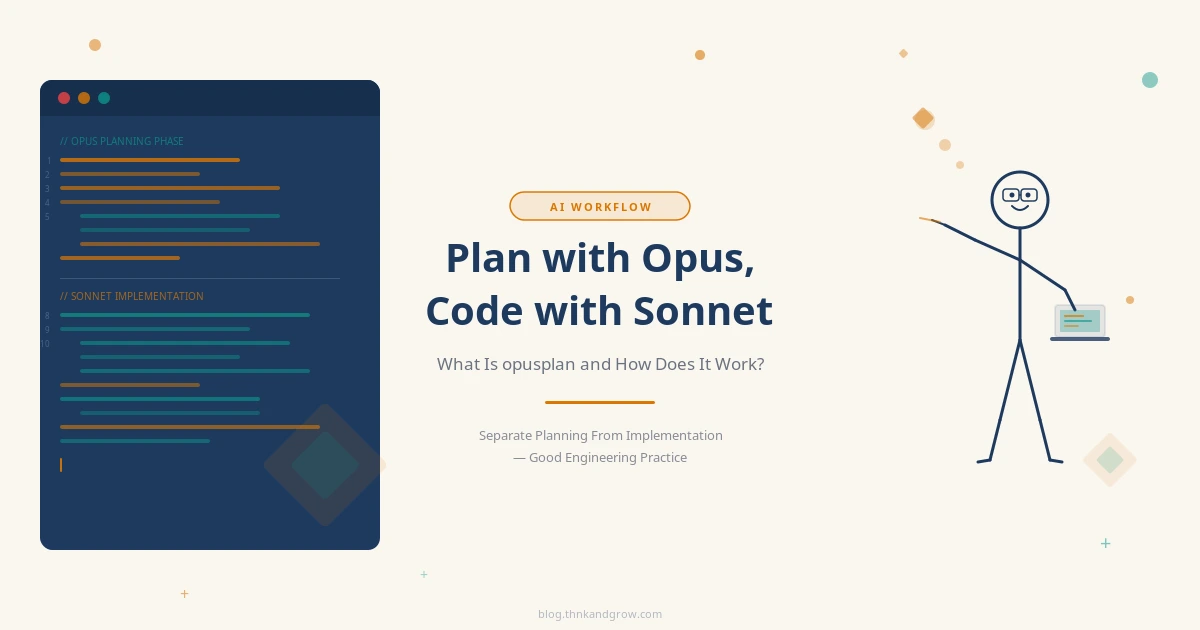
This is exactly the problem that opusplan solves. Built directly into Claude Code, it’s a deceptively simple feature that reflects a genuinely smart philosophy: not all AI tasks are created equal, so why treat them the same? By automatically routing your planning work to Claude Opus and your implementation work to Claude Sonnet, opusplan eliminates the manual model-switching dance and lets you focus on what actually matters — building great software.
In this guide, we’ll break down how opusplan works, why the planning/implementation split makes sense both technically and economically, and how to start using it in your real-world projects today.
What Is opusplan and How Does It Work?
First, let’s clear up a common misconception: opusplan is not a separate AI model. It’s a special model alias built into Claude Code — essentially a smart routing layer that sits between you and Anthropic’s model lineup.
Here’s the core mechanism:
- When you activate Plan Mode (via Shift + Tab),
opusplanroutes your session to Claude Opus 4.5/4.6 — Anthropic’s most powerful, reasoning-heavy model. - When you exit Plan Mode to begin actual coding and implementation, the alias automatically switches to Claude Sonnet 4.5/4.6 — faster, more cost-efficient, and optimized for code generation throughput.
The workflow looks like this:
Enter Plan Mode (Shift + Tab) → Opus takes over → Deep reasoning, architecture, analysis → Exit Plan Mode → Sonnet takes over → Fast, high-quality code generation → Repeat as needed
No manual switching. No remembering which model you’re on. The alias handles the routing entirely based on which phase you’re in. It’s a small UX decision with surprisingly large downstream effects on both quality and cost.
Why Separate Planning From Implementation?
Before we get into the economics, it’s worth asking: is this separation actually necessary, or is it just a clever marketing angle? The answer is rooted in both software engineering best practices and the fundamental nature of how large language models work.
Planning Demands Deep Reasoning
Good architectural planning is cognitively expensive. When you’re designing a new feature, refactoring a legacy system, or debugging a subtle race condition, you need:
- Holistic understanding of the existing codebase and its constraints
- The ability to reason about trade-offs across multiple dimensions simultaneously
- Risk analysis — what could go wrong, and how do we mitigate it?
- The foresight to anticipate edge cases before a single line of code is written
This is exactly where Claude Opus excels. Its larger parameter count and deeper reasoning capabilities mean it can hold more context in “working memory,” reason through complex interdependencies, and produce plans that are genuinely robust rather than superficially plausible.
Implementation Demands Speed and Throughput
Once you have a solid plan, the implementation phase has a very different character. You’re executing a known strategy — writing functions, generating boilerplate, creating tests, updating configuration files. This is repetitive, high-volume work where speed and reliability matter more than deep philosophical reasoning.
Claude Sonnet is purpose-built for this. It generates code faster, handles more tokens per dollar, and for well-defined implementation tasks, its output quality is essentially indistinguishable from Opus. You’re not paying a premium for reasoning horsepower you don’t need at this stage.
This Is Just Good Engineering Practice
Software engineers have long known that the most expensive bugs are the ones baked into the architecture. A bug in a line of code costs minutes to fix. A bug in the system design can cost weeks or months. opusplan essentially encodes this wisdom into your AI workflow: think hard first, then execute efficiently.
The Dual Benefit: Higher Quality and Lower Cost
Let’s talk numbers, because this is where opusplan becomes genuinely compelling for teams managing AI API budgets.
Claude Opus is significantly more expensive per token than Claude Sonnet. In a typical development session, the planning phase generates far fewer tokens — you’re producing a structured plan, not thousands of lines of code. The implementation phase is where token volume explodes — multiple files, functions, tests, documentation.
Consider three scenarios for building a complex feature:
- Pure Opus: Maximum quality planning AND implementation, but you’re paying Opus prices for every token of boilerplate code. Expensive, and often overkill for the implementation phase.
- Pure Sonnet: Fast and cheap, but your architectural decisions lack the depth that Opus provides. You might save money upfront and pay for it later in technical debt.
- opusplan: Opus for the high-value, low-token planning phase. Sonnet for the high-volume, lower-complexity implementation phase. You get the best reasoning where it matters most, and the best economics where volume is highest.
The ROI calculation is straightforward: use your most expensive resource for your highest-leverage work. This is the same principle behind having senior engineers do architecture reviews rather than writing CRUD endpoints all day.
How to Activate opusplan in Claude Code
Getting started is refreshingly simple. There are two ways to use opusplan:
Option 1: Activate During a Session
Within any active Claude Code session, simply type:
/model opusplanThis switches your current session to use the opusplan alias immediately. From this point forward, Shift + Tab will toggle Plan Mode and trigger the automatic model switching behavior.
Option 2: Set as Default in settings.json
If you want opusplan to be your default model for every Claude Code session, add it to your configuration file:
{
  "model": "opusplan"
}
With this setting in place, you never have to think about it again. Every session starts with opusplan active, and the Plan Mode toggle (Shift + Tab) automatically routes to Opus when you need deep thinking and back to Sonnet when you’re ready to build.
Pro tip: Even if you set opusplan as your default, it’s worth being intentional about when you enter and exit Plan Mode. The quality of your Opus planning session directly determines the quality of Sonnet’s implementation. Don’t rush through it.
Real-World Use Cases Where opusplan Shines
Theory is useful, but let’s ground this in the kinds of tasks you actually face as a developer.
Large-Scale Refactoring
Imagine you’re modernizing a 40,000-line legacy codebase — moving from a callback-heavy architecture to async/await, or migrating from a monolith to a service-oriented design. This is exactly where the plan/implement split pays dividends.
In Plan Mode, Opus analyzes the existing architecture, identifies coupling hotspots, designs the migration path, and flags high-risk areas. When you switch to implementation, Sonnet executes the refactoring file by file, applying the strategy Opus designed. You get a coherent migration plan executed efficiently — not a haphazard series of changes that creates new problems.
Designing Complex Features
Building a real-time collaboration feature, a payment processing system, or a complex data pipeline? These features have non-obvious failure modes and architectural decisions that ripple across the entire codebase. Let Opus design the data models, define the API contracts, plan the state management strategy, and reason through the edge cases. Then let Sonnet write the actual code, knowing it’s working from a solid blueprint.
Debugging Hard Problems
Race conditions, memory leaks, intermittent production failures — these are the bugs that resist brute-force debugging. In Plan Mode, Opus can perform deep analysis: forming hypotheses, reasoning about execution order, identifying the minimal reproduction case. Once Opus has a clear theory and investigation strategy, Sonnet writes the fix, adds regression tests, and updates relevant documentation.
Architecture Reviews and Technical Debt Assessment
Should you migrate to microservices? Is your current database schema going to scale? Which technical debt items should you tackle in the next sprint? These are high-stakes judgment calls. Opus can analyze trade-offs with nuance and produce a prioritized, reasoned recommendation. Sonnet then handles the execution work — generating boilerplate, configuration files, CI/CD pipeline updates — once the direction is clear.
opusplan vs. Other AI Coding Tools
It’s worth putting opusplan in context against the broader AI coding tool landscape, because the automatic phase-based switching is genuinely unusual.
- GitHub Copilot: Operates with a single model per session. No concept of planning vs. implementation phases.
- Cursor: Allows manual model selection per request, which is powerful but requires constant conscious decisions from the developer.
- Aider: Supports a
--modelflag for model selection, but switching requires manual intervention and there’s no built-in phase awareness. - Continue.dev: Offers manual model routing configuration, but again, the developer is responsible for the routing logic.
opusplan stands apart because the switching is automatic and phase-aware. You don’t have to remember which model you’re using or make a conscious decision to switch. The tool infers the right model from your current working mode.
This points to a larger trend in the AI industry: multi-model agentic pipelines. Tools like RouteLLM and LiteLLM are building sophisticated routing layers that direct requests to appropriate models based on complexity, cost constraints, and task type. opusplan is an early, developer-friendly implementation of this idea — and it hints at where AI coding assistants are heading. The future isn’t a single model that does everything; it’s an intelligent orchestration layer that deploys the right model for each task.
Conclusion: The Right Tool for the Right Job
opusplan is a small feature with a big idea behind it. It’s not just about saving money on API calls (though it does that). It’s not just about getting better planning output (though it does that too). At its core, it reflects a fundamental principle of good engineering: match your tools to your tasks.
We’ve always known that the planning phase of software development deserves more investment than it typically receives. opusplan makes it structurally easier to honor that principle — by automatically deploying your most capable AI model precisely when you need deep reasoning, and stepping back to a faster, more economical model when you need execution speed.
For individual developers, this means better architectural decisions without budget anxiety. For teams, it means a more consistent, disciplined workflow where planning is treated as a first-class activity rather than an afterthought. And for anyone watching the broader AI landscape, it’s a preview of how sophisticated multi-model orchestration will become a standard part of the developer toolkit.
The next time you sit down to tackle a complex refactor, design a new feature, or investigate a gnarly bug, try this: open Claude Code, set /model opusplan, hit Shift + Tab to enter Plan Mode, and let Opus think through the problem with you. When you have a plan you trust, exit Plan Mode and let Sonnet execute it. You might be surprised how much better the output is — and how much more confident you feel about the code you’re shipping.
Give it a try in your next project. The trade-off between quality and cost just became a lot less painful.