Top AI Productivity Tools Reshaping Tech in 2025
The pace at which artificial intelligence has woven itself into the software development lifecycle is nothing short of remarkable. What began as experimental autocomplete features and novelty chatbots has evolved into a sophisticated layer of tooling that touches every stage of how software is built, deployed, and maintained. In 2025, AI is no longer a feature you opt into — it’s the baseline expectation. Developers who haven’t yet integrated AI tools into their daily workflows aren’t just missing out on convenience; they’re operating at a measurable disadvantage in speed, quality, and output.
This isn’t about chasing trends. It’s about recognizing a genuine shift in how the best engineering teams operate. From writing code and designing interfaces to managing infrastructure and maintaining documentation, AI-powered tools are compressing timelines, reducing cognitive load, and freeing developers to focus on the work that actually requires human judgment. Whether you’re a mid-level engineer looking to sharpen your personal toolkit or a team lead evaluating tooling for your organization, understanding what’s available — and how to adopt it responsibly — is now a core professional competency.
Why AI Tools Are Now a Developer’s Best Friend
There was a time, not long ago, when AI in development meant a slightly smarter autocomplete or a chatbot that could answer basic questions about syntax. That era is over. In 2025, AI has graduated from novelty to necessity — a core productivity layer that’s embedded in how code gets written, reviewed, shipped, and scaled.
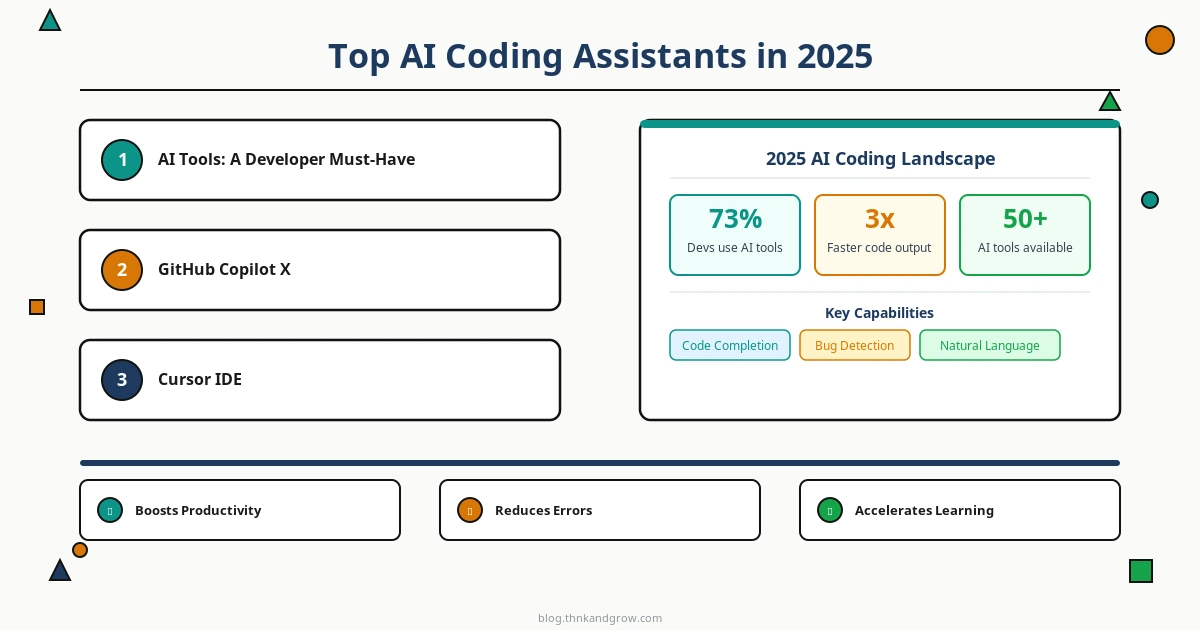
The numbers tell a compelling story. Studies from GitHub and McKinsey have consistently shown that developers using AI-assisted tools complete tasks 20–55% faster than those who don’t, with the gains being most pronounced in repetitive tasks like boilerplate generation, test writing, and documentation. Stack Overflow’s 2024 developer survey found that over 76% of developers were already using or planning to adopt AI tools in their workflows — a figure that has only grown heading into 2025.
The risk of falling behind is real and compounding. Teams that have integrated AI into their workflows aren’t just moving faster — they’re iterating more, shipping more frequently, and catching issues earlier. The competitive gap between AI-augmented teams and those still operating without these tools is widening with every quarter. For individual developers, the calculus is equally straightforward: the engineers who know how to work with AI are increasingly the ones getting hired, promoted, and trusted with high-stakes projects.
Top AI Coding Assistants in 2025
The AI coding assistant market has matured significantly, and there are now several production-ready options that go far beyond simple code completion. Here are the tools leading the pack in 2025.
GitHub Copilot X
GitHub Copilot X remains the most widely adopted AI coding assistant, and its 2025 iteration has earned that position. Built on OpenAI’s latest models, Copilot X offers context-aware code generation that understands not just the file you’re working in, but the broader structure of your repository. Its pull request summary feature automatically generates meaningful PR descriptions based on the actual diff — a small feature that saves a surprising amount of time at scale. Copilot X also integrates directly into GitHub Actions, offering inline suggestions for CI/CD configuration.
Cursor IDE
Cursor has emerged as the IDE of choice for developers who want AI to be truly native to their editing environment rather than bolted on. Built from the ground up as an AI-first code editor, Cursor allows you to have natural language conversations about your entire codebase. You can ask it to explain a function, refactor a module, or identify why a test is failing — and it draws on deep context from across your project rather than just the current file. For developers working on large, complex codebases, this contextual depth is a game-changer.
Tabnine
Tabnine has carved out a strong niche in the enterprise market by leading with privacy. Unlike cloud-dependent alternatives, Tabnine offers on-premise deployment options that ensure your proprietary code never leaves your infrastructure. For teams in regulated industries — finance, healthcare, legal tech — this is often a non-negotiable requirement. Its AI models can also be fine-tuned on your organization’s own codebase, making suggestions increasingly relevant to your specific patterns and conventions over time.
Choosing the Right Coding Assistant
The right coding assistant depends on your context. If you’re a solo developer or working in a startup with minimal data sensitivity concerns, Cursor or Copilot X will likely offer the best experience. If you’re evaluating tools for an enterprise team with strict data governance requirements, Tabnine’s privacy-first architecture deserves serious consideration. In all cases, run a genuine pilot — assign real tasks, measure time-to-completion, and gather honest feedback from the engineers who will actually use it daily.
AI Tools for Design and Frontend Development
The design-to-development handoff has historically been one of the most friction-filled parts of the software lifecycle. AI is changing that rapidly, with tools that can generate production-ready UI components and responsive layouts directly from natural language descriptions.
v0 by Vercel
v0 is one of the most impressive tools to emerge from the AI-design space. Built by Vercel, it allows developers and designers to describe a UI component in plain English and receive clean, production-ready React code using Tailwind CSS and shadcn/ui components. A prompt like “Create a dashboard card showing monthly revenue with a sparkline chart and a percentage change indicator” returns working, styled JSX that you can drop directly into your project. It’s not perfect, but it dramatically accelerates the prototyping phase.
Galileo AI and Framer AI
Galileo AI takes a similar approach but operates at the full-screen design level, generating complete UI designs from text descriptions that can be exported to Figma for refinement. Meanwhile, Framer AI has made AI-driven layout generation a core part of its website-building platform, allowing teams to go from concept to responsive, deployed website in hours rather than days. Together, these tools are dramatically compressing the time between idea and interactive prototype — particularly valuable for product teams that need to validate concepts quickly before committing engineering resources.
The broader impact here is a meaningful reduction in the communication overhead between designers and developers. When both parties can iterate on AI-generated components in real time, the traditional back-and-forth of design reviews and implementation feedback cycles becomes significantly leaner.
AI-Powered DevOps and Cloud Management Tools
DevOps and infrastructure work is notoriously time-consuming, filled with repetitive tasks, cryptic error messages, and the constant pressure of keeping systems running reliably. AI is making meaningful inroads here too.
Warp Terminal
Warp Terminal reimagines the command line with AI built in. Rather than Googling the exact flags for an obscure kubectl command or digging through man pages, you can describe what you want to accomplish in plain English and Warp will suggest the appropriate command. It also provides intelligent explanations of error outputs — a feature that alone is worth the switch for DevOps engineers who spend significant time debugging pipeline failures.
Pulumi AI
Pulumi AI brings natural language to infrastructure-as-code. You can describe your desired cloud architecture — “Set up a serverless API on AWS with a Lambda function, API Gateway, and DynamoDB table with pay-per-request pricing” — and Pulumi AI will generate the corresponding infrastructure code in your language of choice (TypeScript, Python, Go, etc.). This dramatically lowers the barrier to writing correct, maintainable IaC, especially for developers who aren’t infrastructure specialists.
Datadog AI
Datadog’s AI capabilities have matured into a genuinely powerful observability layer. Its anomaly detection algorithms can identify unusual patterns in metrics, logs, and traces before they become incidents, and its intelligent alerting reduces the noise that causes alert fatigue in on-call rotations. For engineering teams managing complex distributed systems, this kind of proactive intelligence is invaluable.
AI Tools for Documentation and Knowledge Management
Documentation is the perennial weak point of most engineering teams — critically important, perpetually neglected. AI tools are making it significantly easier to keep documentation alive and accurate.
Notion AI and Mintlify
Notion AI has become a staple for teams that use Notion as their knowledge base. It can auto-generate project briefs, summarize long documents, draft meeting notes, and translate technical specs into plain-language summaries for non-technical stakeholders. For teams that already live in Notion, the integration is seamless and the time savings are immediate.
Mintlify is purpose-built for technical documentation — specifically API docs and codebase documentation. It can analyze your code and generate accurate, well-structured documentation automatically, and it integrates with GitHub to keep docs in sync with code changes. The result is documentation that actually reflects the current state of your codebase rather than the state it was in six months ago when someone last updated the wiki.
Ethical Considerations and Limitations of AI Tools
Adopting AI tools without understanding their limitations is a recipe for subtle, expensive problems. There are several important considerations every engineering team should address explicitly.
Over-reliance is a real risk. AI coding assistants can and do generate code that compiles and runs but contains logical errors, security vulnerabilities, or subtle bugs that only manifest under specific conditions. A developer who accepts AI suggestions without critical review is not more productive — they’re just accumulating technical debt and security risk faster. Every AI-generated code block deserves the same scrutiny as code written by a junior developer.
Data privacy deserves serious attention. Cloud-based AI tools that process your code are, by definition, sending that code to external servers. For proprietary systems, competitive algorithms, or applications handling sensitive user data, this is a significant concern. Teams should audit which tools have access to what code, review vendor data retention policies, and consider on-premise alternatives like Tabnine for sensitive workloads.
Responsible adoption requires a framework. Engineering teams should establish clear guidelines for AI tool usage — which tools are approved, what types of code can be processed by external AI services, how AI-generated code should be reviewed, and how to attribute AI assistance in code reviews. This isn’t bureaucracy for its own sake; it’s the foundation of using these tools sustainably and safely.
How to Build an AI-Augmented Workflow That Actually Works
The biggest mistake teams make when adopting AI tools is trying to do too much at once. The result is tool sprawl, inconsistent adoption, and eventual abandonment. A more effective approach is deliberate and incremental.
Start with one tool that addresses your most painful bottleneck. If code review is your slowest process, start with Copilot X’s PR summaries. If documentation is your biggest gap, start with Mintlify. Solve one real problem well before adding complexity.
Measure what matters. Useful metrics for evaluating AI tool impact include time-to-PR-merge, documentation coverage, incident mean-time-to-resolution, and developer-reported satisfaction scores. Avoid vanity metrics — focus on outcomes that connect to real business value.
Address team resistance directly. Some developers will be skeptical, and their skepticism often comes from legitimate concerns about job security, code quality, or privacy. Create space for honest conversation, involve the team in tool evaluation, and make adoption feel like empowerment rather than surveillance.
Build a personal AI toolkit. Your ideal toolkit will look different depending on your role. A frontend engineer might center their stack around Cursor, v0, and Notion AI. A DevOps practitioner might prioritize Warp, Pulumi AI, and Datadog. The goal is a curated set of tools that genuinely fits how you work — not the longest list of subscriptions you can justify.
Conclusion: Augment Thoughtfully, Compete Effectively
The AI tools available to developers in 2025 represent a genuine step change in what’s possible within a given workday. Across coding, design, DevOps, documentation, and project management, there are now production-ready AI tools that can meaningfully compress timelines, reduce cognitive load, and improve output quality — when used thoughtfully.
The operative word is thoughtfully. The developers and teams who will benefit most from this wave of tooling aren’t those who adopt everything at once or those who resist change entirely. They’re the ones who approach AI adoption with the same rigor they apply to any engineering decision: evaluating trade-offs, understanding limitations, measuring outcomes, and maintaining the human judgment that no model can replace.
AI augments your capabilities — it doesn’t replace your critical thinking, your architectural instincts, or your responsibility for the code you ship. Keep that perspective central, and these tools become genuinely transformative rather than just expensive distractions.
The best time to start building your AI-augmented workflow was six months ago. The second best time is now.
We’d love to hear from you: Which AI tools are currently part of your development workflow? Are there tools on this list you’ve tried and loved — or tried and abandoned? Drop your thoughts in the comments below, share this post with your team, and let’s build a conversation around what’s actually working in the real world. The best insights in this space come from practitioners, not press releases.


